Correct source-verified data
A monitor checks the data of a visit against the source documents, and marks each field or section as verified. You can still correct a verified value. When you do, the eCRF removes its verification, and the monitor must verify it again.
Who can do this: Principal Investigator, Sub-Investigator and Clinical Research Associate (Hospital).
Recognize verified data
Section titled “Recognize verified data”A verified field or section shows a filled green check on its right (Source data verified). Point to the check to see who verified the data and when.

Correct a verified value
Section titled “Correct a verified value”-
Open the visit. If it shows Completed, set it back to In Progress.
-
Change the value.
-
Save the visit, or mark it as completed.
The eCRF shows SDV Invalidation.
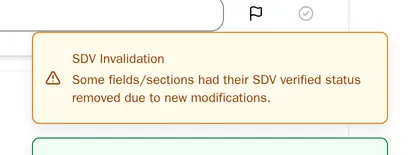
The check of the field is empty again. If the section that holds the field was verified, it loses its verification too.

A Clinical Research Associate must verify the new value.
Unlock verified data with a justification
Section titled “Unlock verified data with a justification”Some studies lock verified data. A locked field or section shows a lock next to its check, and you cannot change it. To correct it, unlock it first with a justification.

-
Open the visit. If it shows Completed, set it back to In Progress. You can unlock data only while the visit is In Progress.
-
Select the lock next to the field or the section.

-
In Justification, type why the value must change. Type at least 10 characters.
-
Select Unlock.
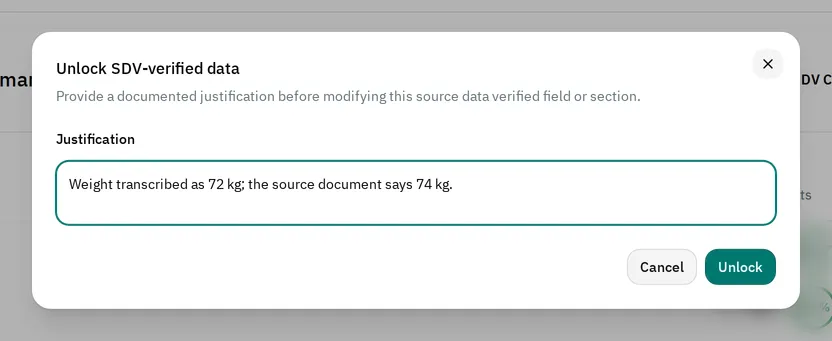
-
Change the value. Save the visit.
The eCRF removes the verification as soon as you unlock the data, even if you do not change the value. When you unlock a section, you unlock all its fields.
The field now shows an open lock (SDV manually unlocked). Point to it to see who unlocked the field and when, the justification, and the Value before unlock.

A Clinical Research Associate must verify the field again.
If you cannot correct the data
Section titled “If you cannot correct the data”- The lock does nothing when you select it: the visit is completed. When you point to the lock, it shows This field is locked because it has been source data verified, and the form is read-only. Set the visit back to In Progress first.
- The Unlock button stays grayed out: the justification is shorter than 10 characters.
- The visit shows Read-only: your role cannot change visit data. If you are a monitor and a verified value is wrong, remove its verification. Then raise a query so that the site corrects it.
- The visit shows Locked: the study is locked, and nobody can change its data.