Raise a query or a comment
Raise a query when a value of a visit needs a check or a correction. The site answers it, and you close it once the answer is enough. A comment adds a remark: it has no status, and nobody has to close it.
Who can do this: Clinical Research Associate, Data Manager and Clinical Research Administrator. The Principal Investigator, the Sub-Investigator and the Clinical Research Associate (Hospital) can add comments, but not queries.
Raise a query
Section titled “Raise a query”-
Open the visit of the subject.
-
Next to the field, select the flag. To raise a query on a whole section, select the flag on the section’s header.

-
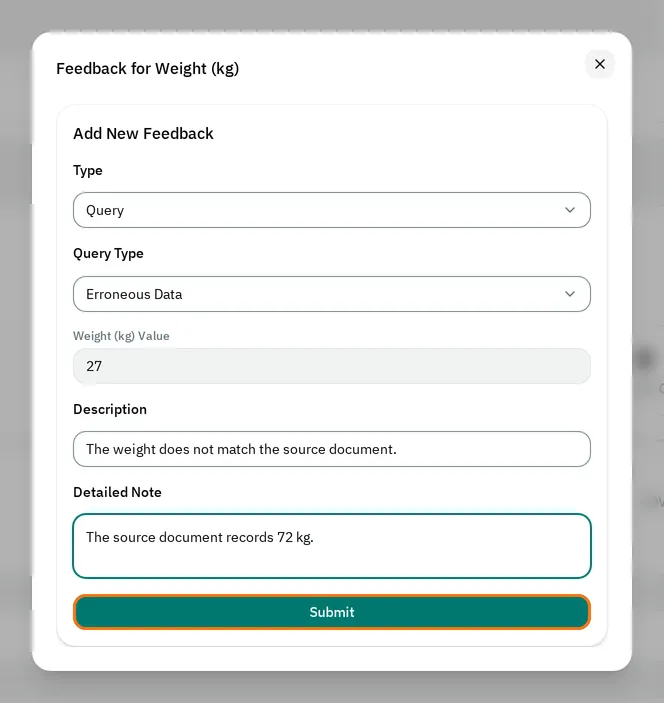
In Type, keep Query.
-
In Query Type, select the type of query.
-
In Description, type your question in one line.
-
If needed, type details in Detailed Note.
-
Select Submit.
The field now shows a filled orange flag, and the site sees the query in its subject matrix.
Choose the query type
Section titled “Choose the query type”- For a Missing Data, Erroneous Data or Out of Range query, the investigator must change the value before they answer. The window shows the current value of the field, for example Weight (kg) Value.
- For a Value Confirmation or Clarification query, the investigator can answer and leave the value as it is.
On a section, the investigator can answer every type of query, and does not need to change a value.
Add a comment
Section titled “Add a comment”-
Select the flag next to the field, or on the section’s header.
-
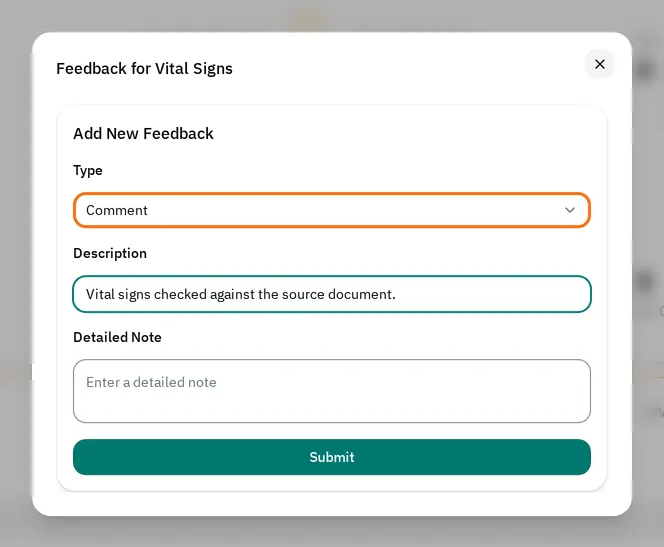
In Type, select Comment.
-
In Description, type your comment.
-
Select Submit.
Close a query
Section titled “Close a query”When the investigator answers, the query shows Open Query · Answered, and its flag is no longer filled.
-
Select the flag next to the field.
-
Select the query to read the response. For a query that asked for a new value, the response shows the old value and the new one.
-
Select the cross next to the query (Close Query).
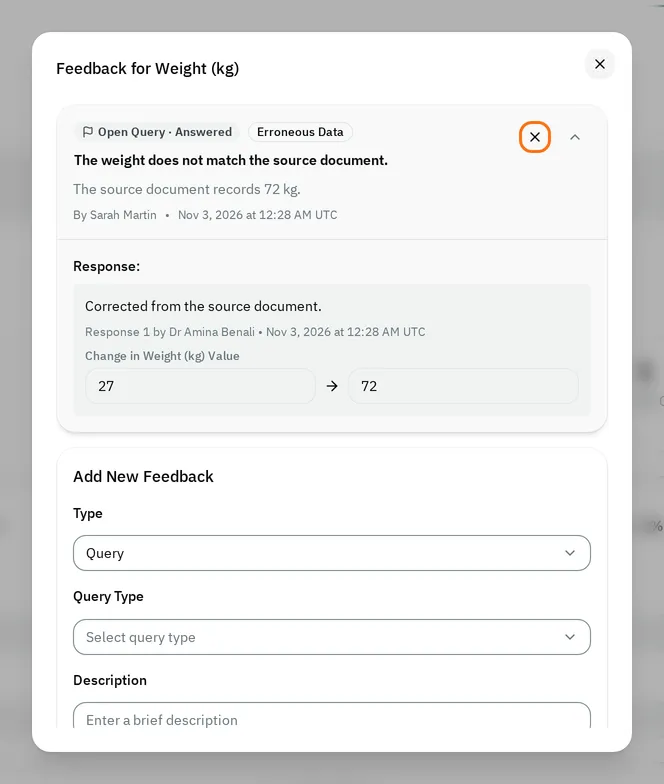
The query shows Closed Query. You can also close a query that has no response.
Reopen a query
Section titled “Reopen a query”-
Select the flag next to the field.
-
Select the circular arrows next to the closed query (Reopen Query).
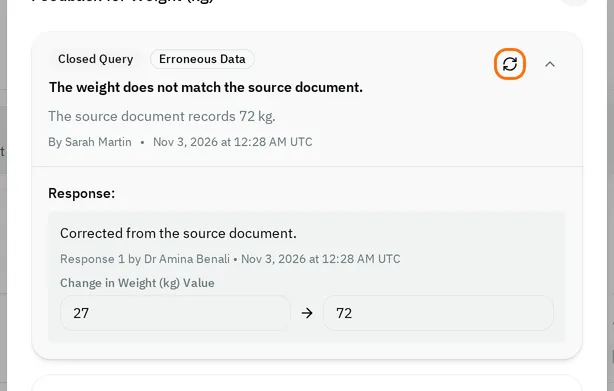
The query shows Open Query again, without Answered, and its flag is filled. The site can answer it again, even if your study allows only one response per query.
Queries on verified data
Section titled “Queries on verified data”Once a field or a section is source data verified, you cannot raise a query on it. The window shows Already Verified, and Type stays on Comment. You cannot reopen its closed queries either: Cannot reopen query once verified.
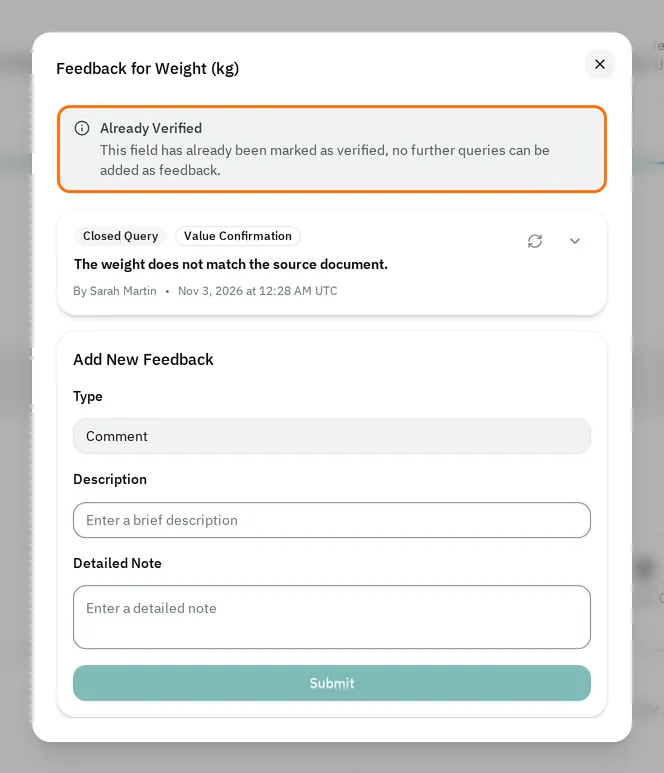
To raise a query on it, unmark it as verified first.
Delete a query or a comment
Section titled “Delete a query or a comment”Only the Clinical Research Administrator can delete queries, comments and responses. Select the bin next to it (Delete feedback or Delete response). The eCRF deletes it at once, and does not ask you to confirm.
If you cannot raise a query
Section titled “If you cannot raise a query”- The Type list shows only Comment: your role can add comments but not queries, or the field is already verified.
- The window has no Add New Feedback form: your role can only read queries and comments, or the study is locked.
- The flag is grayed out: the study is locked, and the field has no query or comment.
- The Submit button is grayed out: fill in Query Type and Description.
- There is no button to close a query: your role cannot close queries, or the study is locked.