Add a subject
Add a subject to the study before you enter its visit data. The eCRF gives the subject an ID and opens its first visit.
Who can do this: Principal Investigator, Sub-Investigator, Clinical Research Associate (Hospital) and Clinical Research Administrator. A Clinical Research Administrator can add a subject, but cannot enter its visit data.
Add a subject
Section titled “Add a subject”-
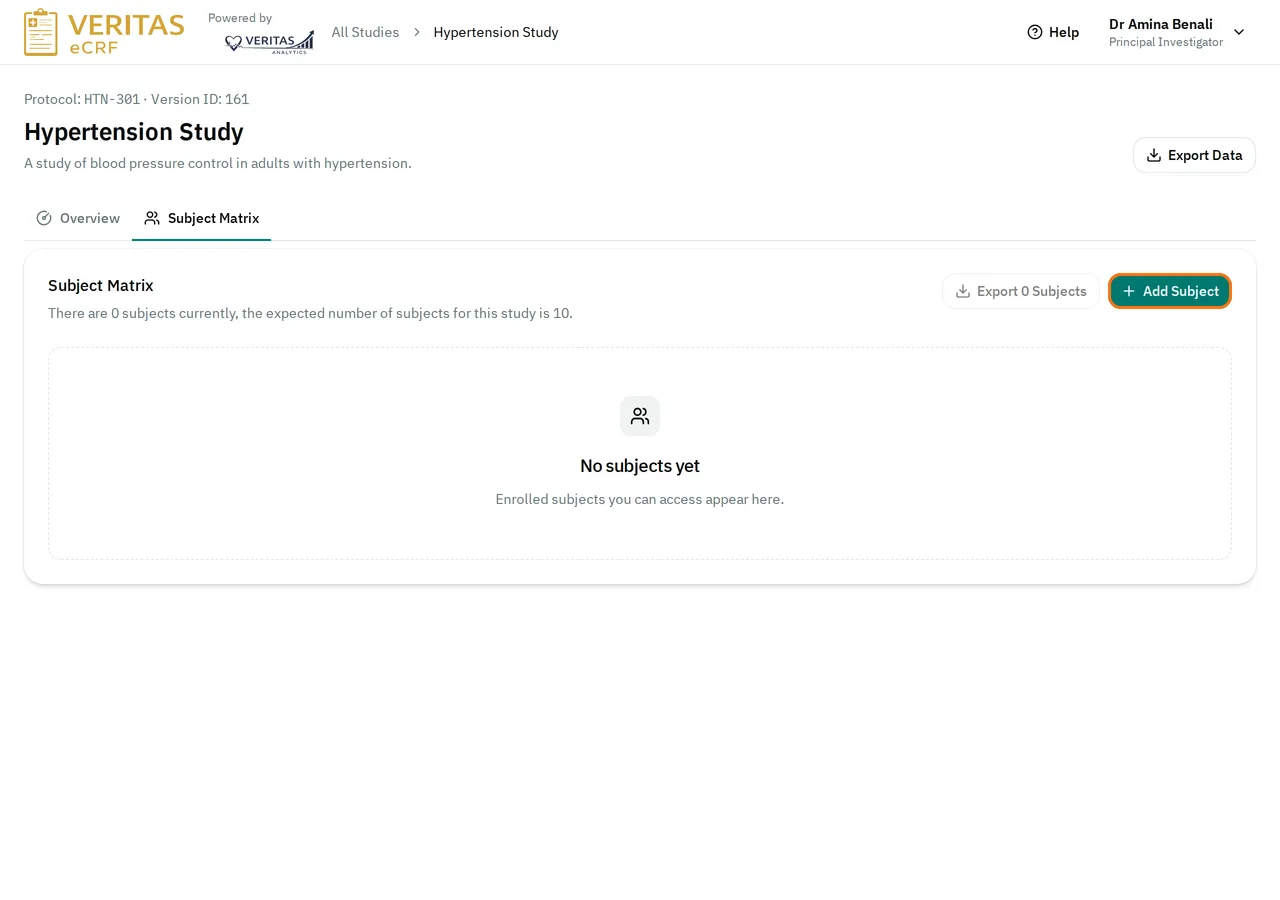
Open the study. Select the Subject Matrix tab.
-
Select Add Subject.
-
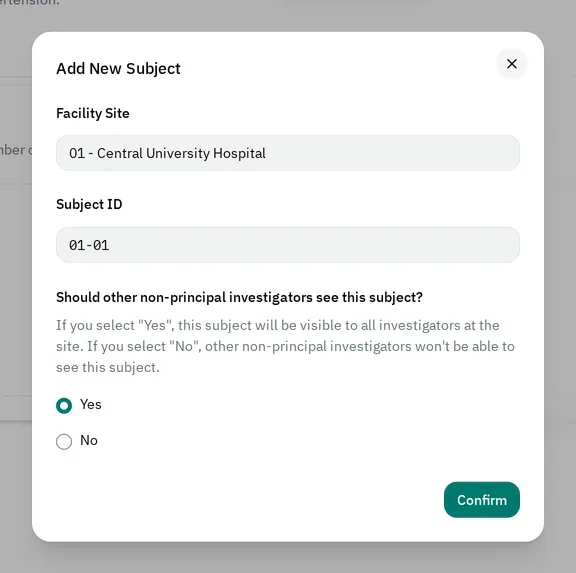
Check the Facility Site. If you work at one site, the eCRF fills it in and you cannot change it. Otherwise, select the site that enrolls the subject.
-
Wait for the Subject ID to appear. It is the number of the site followed by the next subject number at this site, for example 01-01.
-
Answer Should other non-principal investigators see this subject? Choose who can see the subject explains what the answer changes.
-
Select Confirm.
The eCRF shows Subject 01-01 Added and opens the first visit of the subject. To enter its data, see Fill in and save a visit.
Choose who can see the subject
Section titled “Choose who can see the subject”Your answer decides whether the other Sub-Investigator and Clinical Research Associate (Hospital) users of your site can see the subject.
- If you answer Yes, they can see the subject and enter its data. This is the answer the window selects for you.
- If you answer No, they cannot see the subject. Among them, only the person who added the subject can open it.
Whatever you answer, the other roles, such as the Principal Investigator, see the subject. You cannot change the answer after you add the subject.
If you cannot add a subject
Section titled “If you cannot add a subject”-
You do not see Add Subject: your role cannot add subjects, or the study is locked. A locked study shows This study is locked at the top of its pages.
-
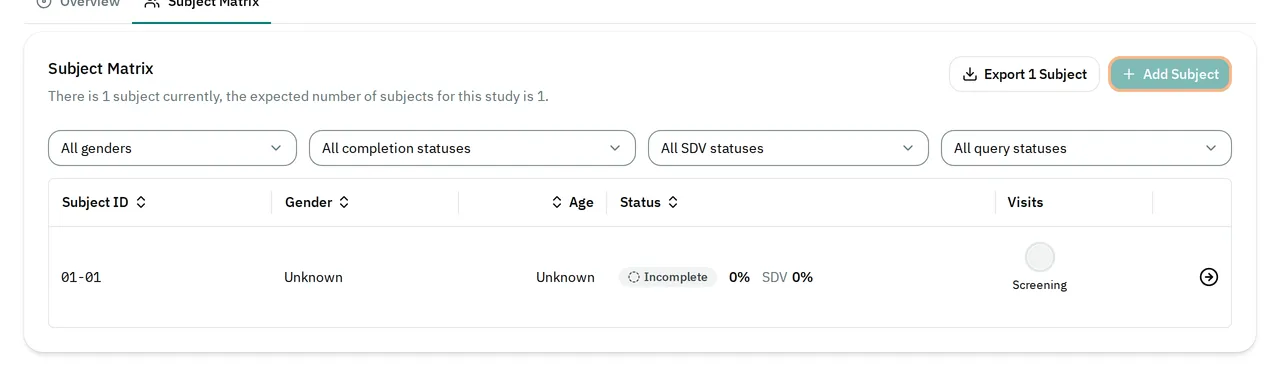
The Add Subject button is grayed out: the study has reached its number of participants. When you point to the button, it shows Reached the maximum number of participants of 1 for this study. The number counts the subjects of every site. If the study must enroll more subjects, contact your administrator.
-
The Confirm button stays grayed out: the subject ID is not ready yet. Select a facility site. Then wait for the ID.
-
The eCRF shows Subject Creation Failed: read the message under it. For example, another user may have added the last subject the study allows while your window was open.